ISO 45001:2018
Premier Elite iProx
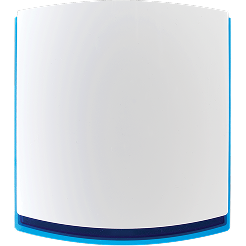
Premier Elite iProx is a single door access controller and proximity module for Premier Elite systems.
It is built for installations where a door needs controlled access without making the system more complicated than it needs to be. It can work with Premier Elite proximity tags through its built-in reader, connect to an optional External iProx Coil, and support third-party readers through a 26-bit Wiegand interface.
Use it when the site needs one controlled door, clear user operation and a clean link between access control and the wider Premier Elite system.
Key Details:
- Product Type: Single door access controller and proximity module
- Reader: Built-in proximity reader for Premier Elite proximity tags
- External Reader Option: Supports Premier Elite External iProx Coil
- Third-Party Reader Support: 26-bit Wiegand interface
- Exit Input: Request to Exit input, active low
- Door Strike Relay: Voltage-free changeover relay rated at 3A
- Part Code: BBC-0001
Sign up for Texecom CloudTechnical Information
Premier Elite iProx
Single door access without overcomplication
Premier Elite iProx is designed for simple, controlled access at one door.
It gives installers the functions needed for a single door setup: proximity reading, exit input, door strike relay and optional external reader support. That keeps the installation focused and serviceable.
Built-in reader, external option, Wiegand support
iProx gives installers three useful routes.
Use the built-in proximity reader for Premier Elite proximity tags. Add the External iProx Coil when the tag needs to be presented outside. Use the 26-bit Wiegand interface when the site needs to work with a compatible third-party reader.
The right reader choice depends on how the door is used.
Network Mode or Stand-alone Mode
In Network Mode, iProx connects to Premier Elite panels through the network terminals. Tags and user codes are stored at the panel.
In Stand-alone Mode, it can operate as a simple single door controller and store up to 10 proximity tags locally. That is useful where the door needs basic access control without full panel integration.
Designed around the door
The RTE input and 3A voltage-free changeover relay make iProx practical at the door.
It can support a request to exit device and operate a door strike where the system design allows. The result is a controlled access point that sits properly within the installation.
When Premier Elite iProx makes sense
Use Premier Elite iProx when the site needs single door access control, proximity operation or external disarming through the optional External iProx Coil.
If the requirement is only to move the tag presentation point outside, use the External iProx Coil with iProx. The coil does not work as a controller on its own.
Technical Specification
Specification:
Description:
Product
Premier Elite iProx
Product Type
Single door access controller and proximity module
Built-In Reader
Premier Elite proximity tag reader
External Reader Option
Premier Elite External iProx Coil
Third-Party Reader Support
26-bit Wiegand interface
Request to Exit
RTE input, active low
Door Strike Relay
Voltage-free changeover relay rated at 3A
Supply Voltage
9 to 14V DC
Current Consumption
35mA without internal proximity enabled
Current Consumption With Proximity
85mA with internal proximity enabled
Operating Temperature
-10°C to +55°C
Dimensions
133mm x 78mm x 20mm
System Grade
Designed for Grade 2, Environmental Class II systems
Stand-alone Mode
Stores up to 10 proximity tags locally
Part Code
BBC-0001
Frequently asked questions
Frequently Asked Questions
Product Warranty: This product comes with 3 years free warranty. Find out more
Trusted by 1000s of organisations, globally:
Download our technical guide, available in .pdf
Find a Distributor
Available Globally
Serving the professional security industry, Texecom products are stocked by leading security distribution specialists around the globe. Find a distributor, wherever you are.
🇬🇧 UK installer? Order your product branding today
Get StartedRelated Products
Browse our extensive range of products, similar to the one you are viewing.
Texecom offers a wide range of motion detectors, security alarms, external sounders and control panel accessories.